
App · Audio editing for Mac
waveRnr
Cut, shape, and match your sound. Precise loudness tools in a native Mac audio editor.
Version 1.4.0 · 5.6 MB · macOS 27 or later · Apple silicon
Developer ID signed and notarized.
About waveRnr
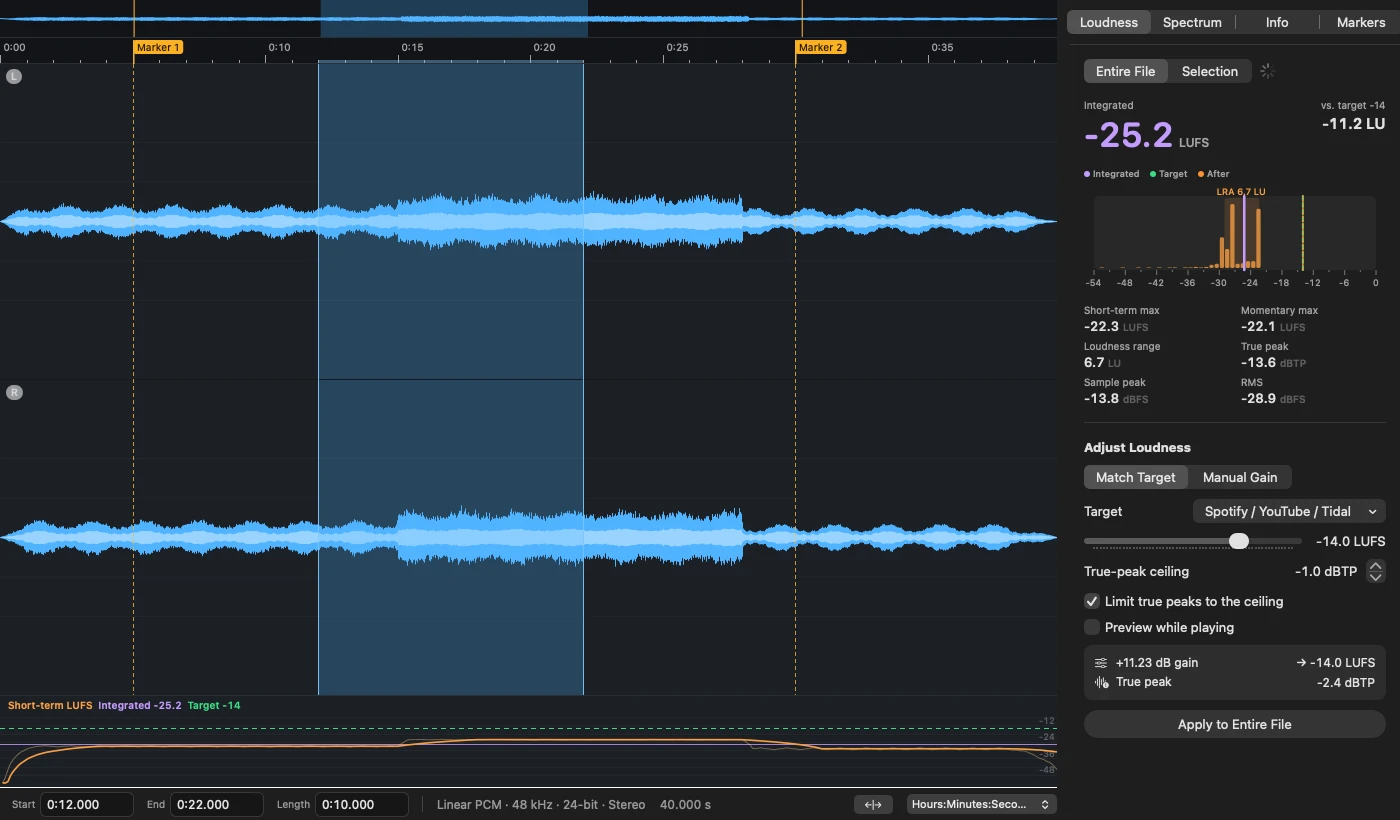
waveRnr brings waveform editing and loudness measurement into one native Mac workspace. Cut, trim, fade, or mix audio, place markers, and inspect the whole file or just a selection.
Measure integrated loudness, loudness range, and true peak. Match a loudness target with optional true-peak limiting, shape audio with an effects rack, and use installed Audio Unit effects. Undo and redo let you work back through your edits.
- Loudness toolsMeasure, compare, and match a target.
- Waveform editingSelections, markers, fades, and effects.
- Native Mac appBuilt for Apple silicon and macOS 27+.
Good to know.
Which Macs can run waveRnr?
This download requires macOS 27 or later on a Mac with Apple silicon. It does not support Intel Macs or earlier macOS versions.
How do I install it?
Download the DMG, open it, and drag waveRnr to Applications. The published installer is Developer ID signed and notarized.
What audio formats does it support?
waveRnr reads common formats including WAV, AIFF, CAF, FLAC, AAC, ALAC, MP3, and Opus. Export options include WAV, AIFF, CAF, FLAC, ALAC, AAC, Opus, and MP3.
Can I measure just part of a file?
Yes. Select a region in the waveform and use the Selection option in the loudness inspector. Choose Entire File to measure the whole document.
Can I check the download?
The SHA-256 file is published alongside the installer. This version’s SHA-256 is 8306fa460e903505b22d5f78692459e8d0f8cb99c8155e1f004468b33dd3e7be.
Need a hand?
Tell us you’re using waveRnr, your device, operating system and browser version (if applicable), and what happened. Screenshots help, too.